How to use QuothGM›Assistant GMs & the World Archivist
Assistant GMs and the World Archivist
Two roles you can grant a trusted player, per campaign: a Assistant GM who helps run or plan your game, or an archivist who keeps your World Codex current. What each can do, how to grant it, and how to take it back.
Both roles are granted the same way — from a campaign’s Party Members section — and both require a Pro account. Instructions below.
A co-GM for one campaign
They can plan and run sessions, push to players, see your GM secrets, and edit the codex — but cannot create or delete worlds, campaigns, or adventures, and cannot touch billing or grant roles.
Can
- Plan and run sessions
- Push to players
- See your GM secrets
- Edit the world codex
Cannot
- Create or delete worlds, campaigns, or adventures
- Touch billing
- Grant roles
Grant Assistant GM
- 1.
Open the campaign you want help running.
- 2.
Go to the campaign’s Edit page.
- 3.
Find the Party Members section.
- 4.
The person must already be a player in that campaign. If they are not, add them first by email under “Add a player by email.”
- 5.
On that person’s row, click Access.
- 6.
Choose Assistant GM.
- 7.
Confirm. An “Assistant GM” badge appears on their row.
What the Assistant GM sees
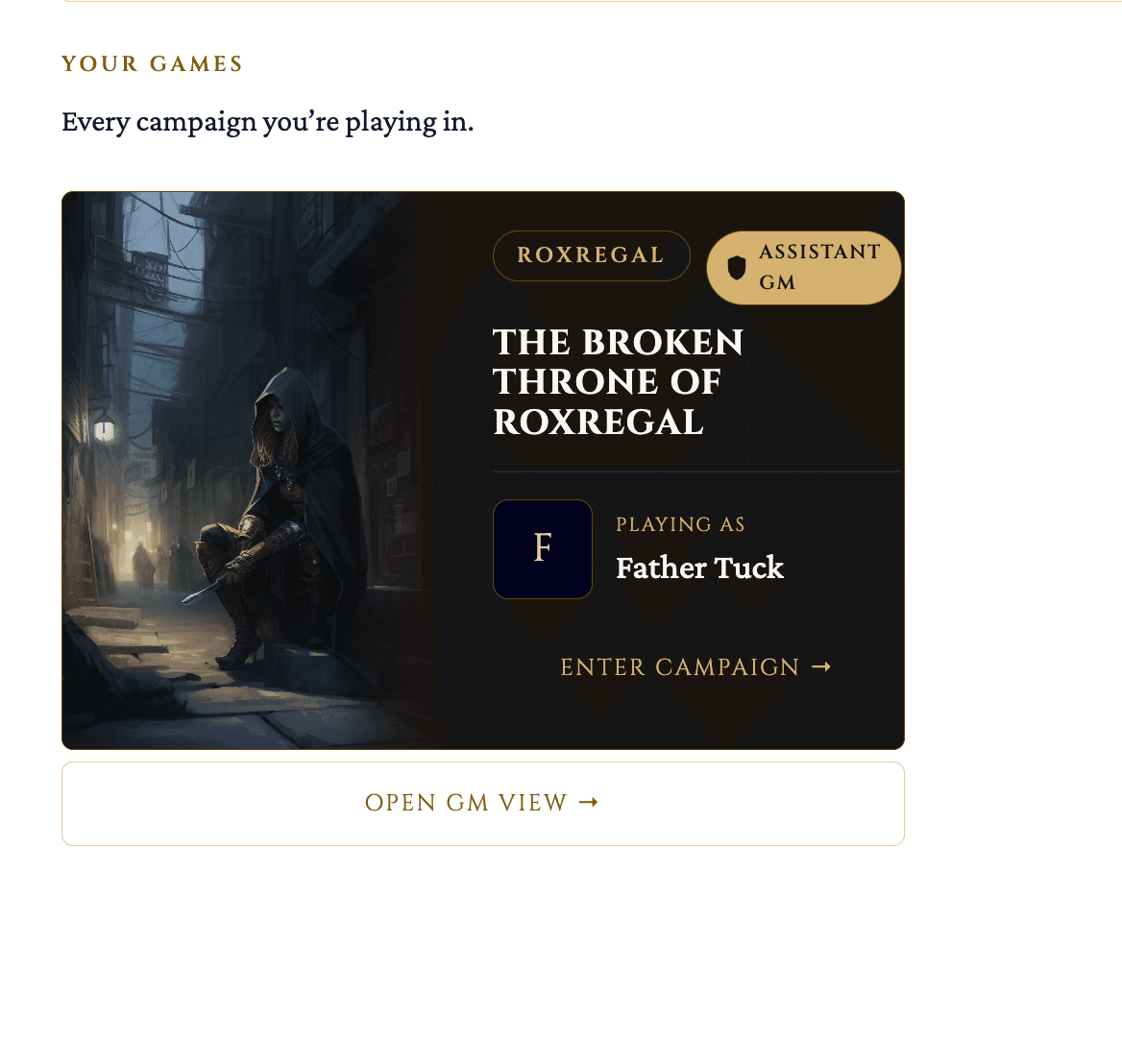
- On their own landing page, the campaign shows an Assistant GM badge and a way into the GM view for it.
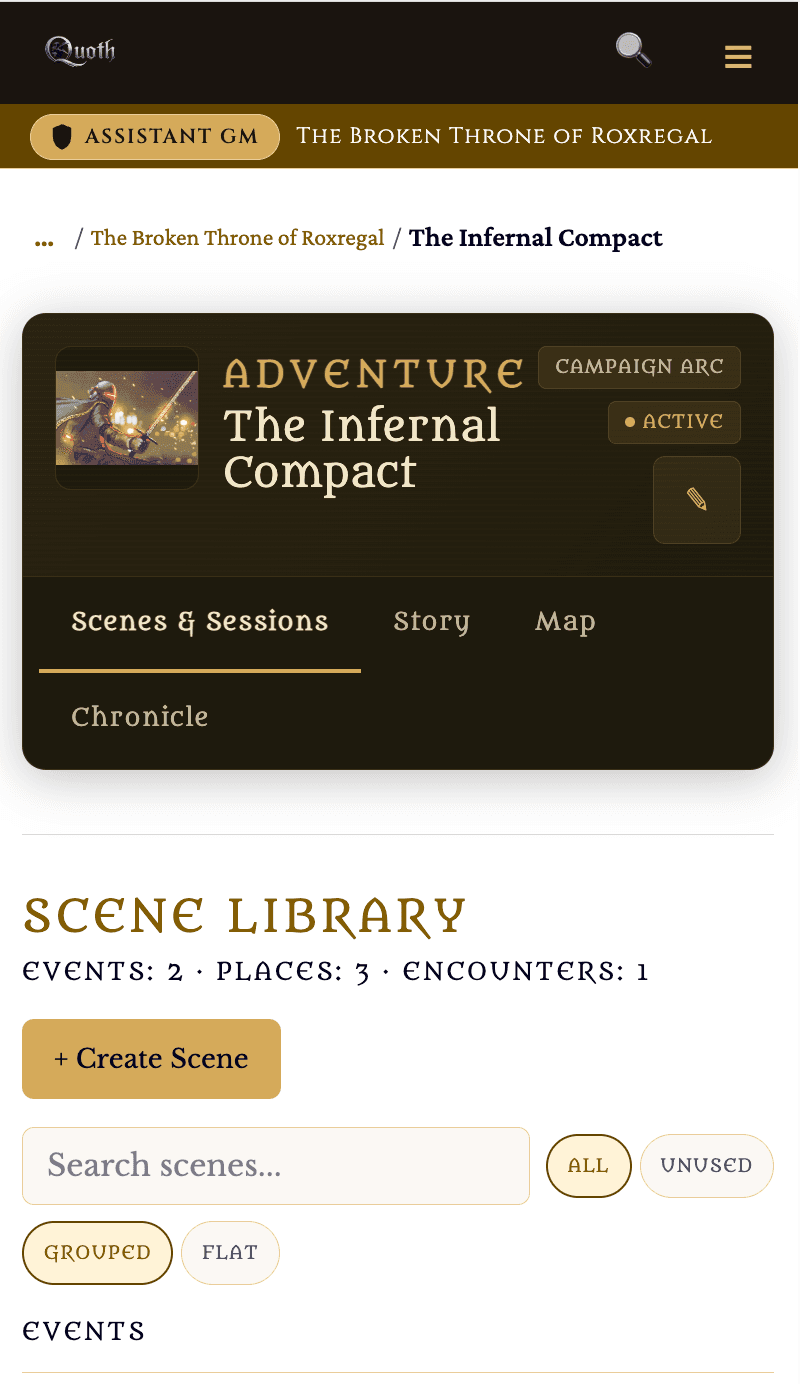
- Inside that campaign they have full GM tools; your other worlds and campaigns stay invisible to them.
Revoke Assistant GM
- 1.
Return to the campaign’s Edit page, Party Members.
- 2.
Click Access on their row.
- 3.
Set them back to Player, or click to remove the role.
- 4.
Confirm. They revert to a plain player. Anything already pushed to players stays; nothing they built is deleted.
Access
Notes
- If your account drops below Pro, all Assistant GM powers pause automatically and return if you upgrade again.
- A person can be a plain player in one campaign and an Assistant GM in another.
A trusted player who keeps your codex current
They can create new codex entries and edit entries that have been shared with them. They cannot see your GM secrets, cannot control who sees anything, and cannot delete entries. They work entirely inside player view — they never enter your GM screens.
The role reaches every campaign in that world, not just the one you grant it from.
Can
- Create new codex entries
- Edit entries shared with them
Cannot
- See your GM secrets
- Control who sees anything
- Delete entries or enter GM screens
Grant World Archivist
- 1.
Open a campaign in the world whose codex you want help with.
- 2.
Go to the campaign’s Edit page.
- 3.
Find the Party Members section.
- 4.
The person must already be a player in that campaign. If not, add them first by email under “Add a player by email.”
- 5.
On that person’s row, click Access.
- 6.
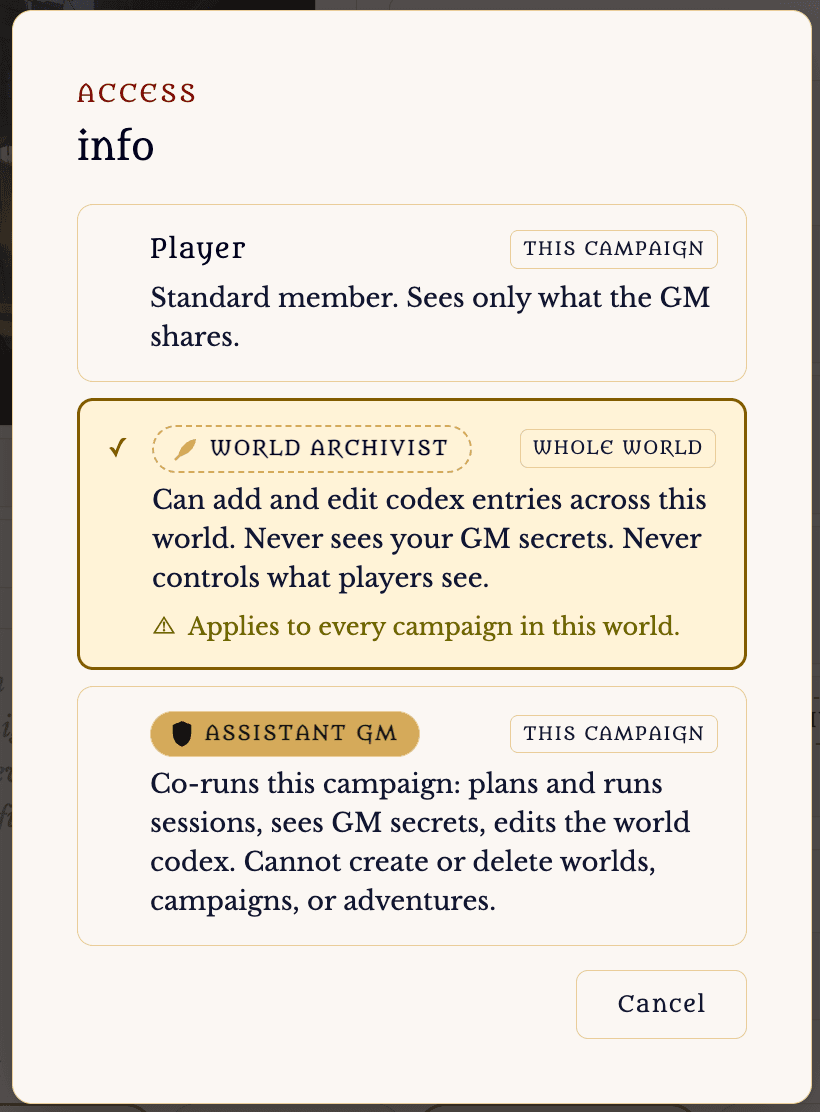
Choose World Archivist. Note the “Whole world” tag and the caution line: this reaches every campaign in that world, not just this one.
- 7.
Confirm. A “World Archivist” badge appears on their row.
Access
Can add and edit codex entries across this world. Never sees your GM secrets. Never controls what players see.
Applies to every campaign in this world.
What the Archivist sees
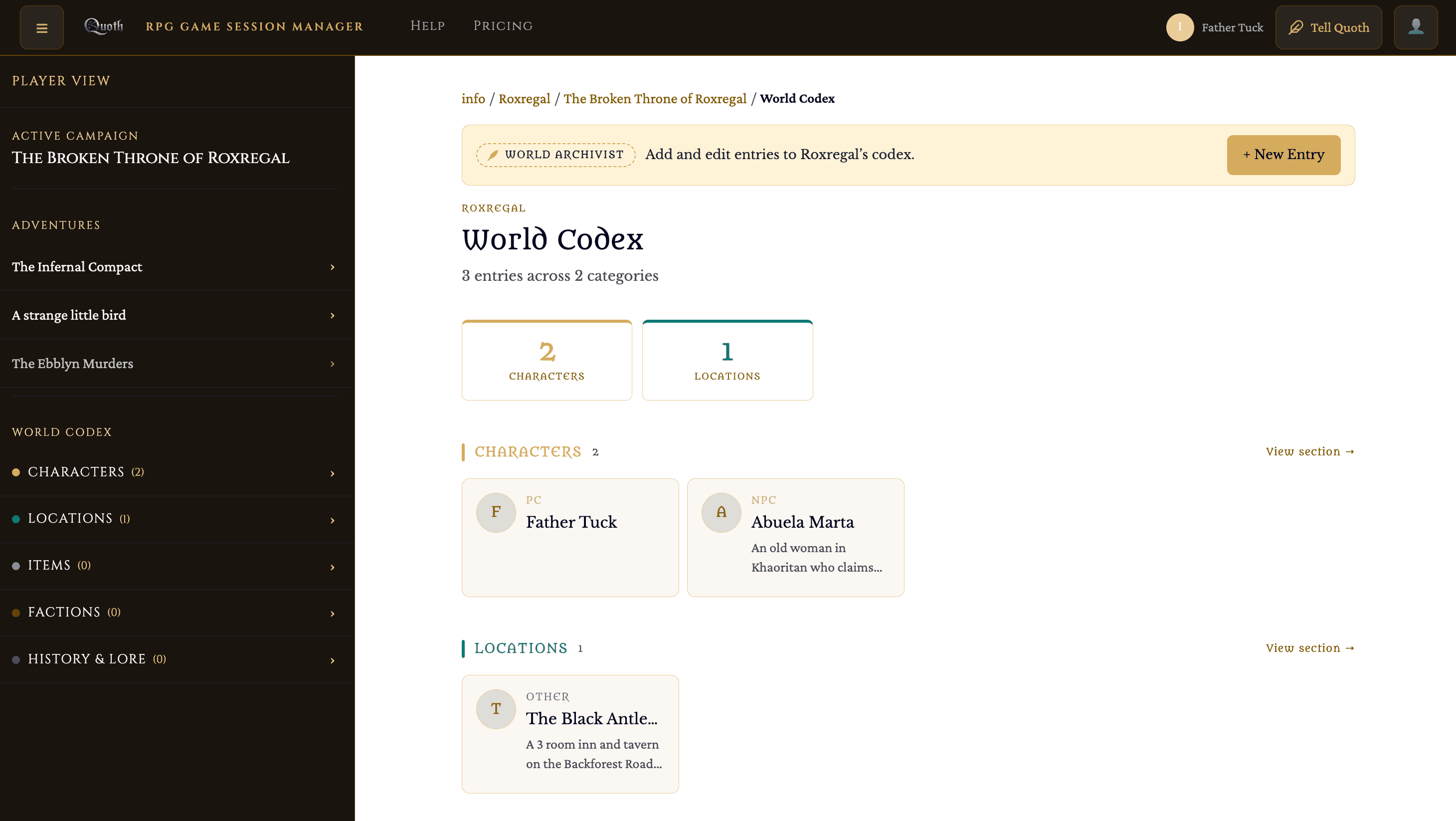
All of it in player view — they never enter a GM screen.
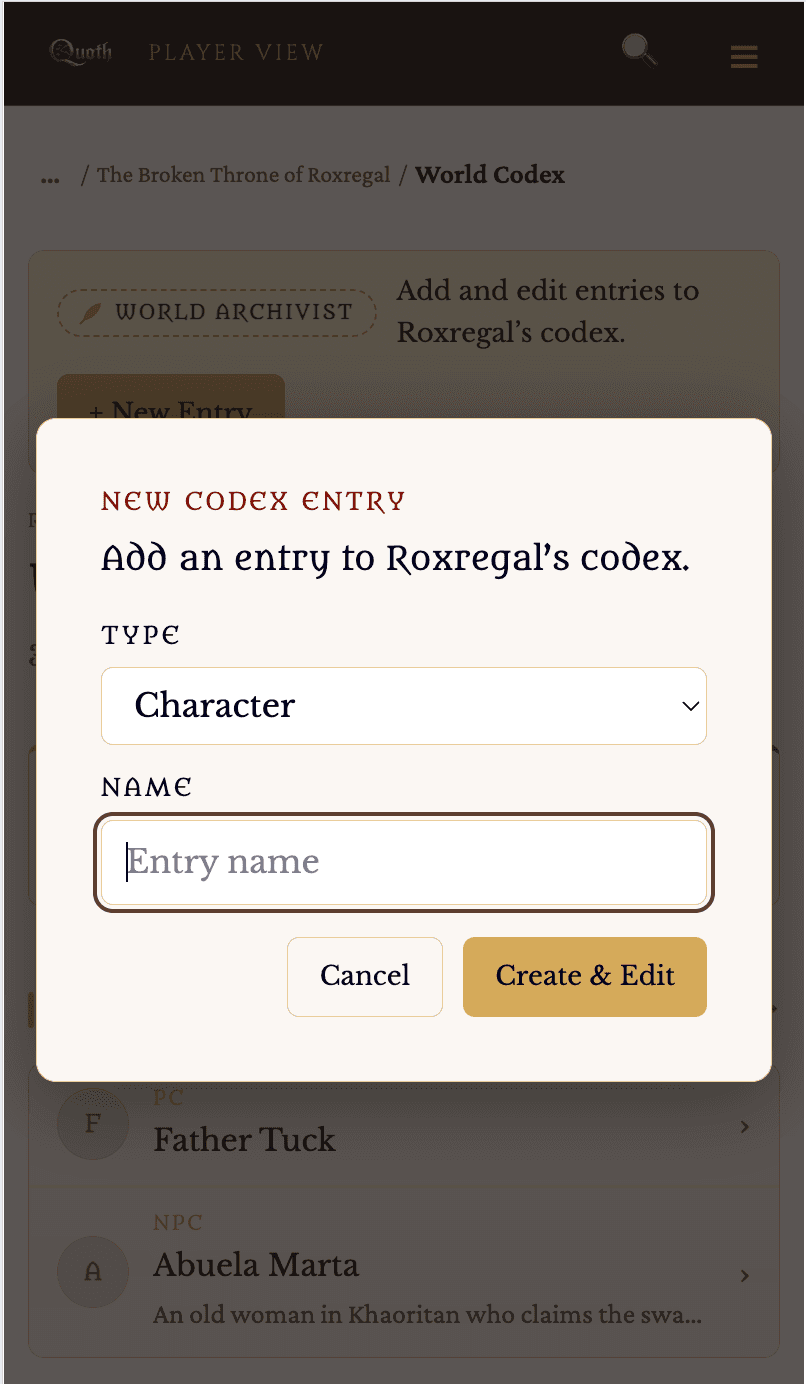
- On their campaign pages, an archivist bar with an option to add and edit entries.
- New entries they create are born shared to that campaign — visible to you and to that campaign’s players immediately.
- They can edit any entry that has been shared with them.
- They never see a GM view, GM secrets, sharing controls, or a delete option.
How their entries reach more players
- 1.
An archivist’s new entry starts visible to you and the granted campaign.
- 2.
To share it more widely — to other campaigns or the whole world — you share it yourself, the normal way. The archivist cannot change who sees what.
Revoke World Archivist
- 1.
Return to the campaign’s Edit page, Party Members.
- 2.
Click Access on their row.
- 3.
Set them back to Player.
- 4.
Confirm. They revert to a plain player; entries they created remain in the world.
Notes
- If your account drops below Pro, archivist powers pause automatically and return if you upgrade again.
- Because the role is world-wide, granting it in one campaign lets that person edit shared entries and add entries across the whole world. If they are already an archivist for the world via another campaign, the Access control shows that instead of granting again.
Related how-tos